
Track warehouse stock from transactions
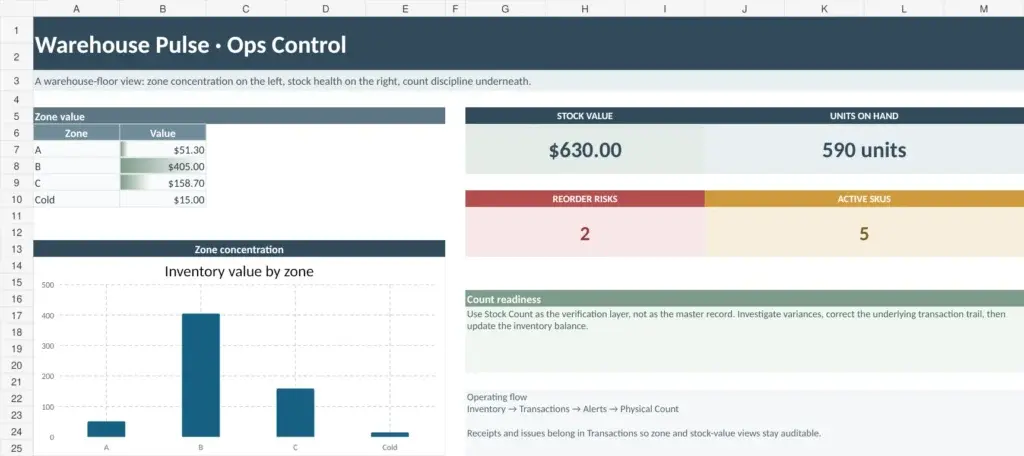
Warehouse Pulse calculates on-hand inventory from recorded stock movements. Instead of manually changing a quantity every time goods arrive or leave, receipts and issues are entered in the Transactions log.
This provides a clearer history of how the current stock level was reached.
Included in the workbook
- SKU master data with warehouse zone and bin location
- Transaction-based on-hand quantity
- Stock value by zone
- Units on hand and active SKU totals
- Reorder-risk indicators
- Separate Stock Count sheet
- Supplier records for delivery and pricing information
Recommended workflow
Set up products and storage locations first. From that point onward, record receipts and issues in Transactions.
Use the Stock Count sheet when comparing recorded inventory with physical stock.
Useful for
Small warehouses, stockrooms, fulfillment operations, and teams where several people receive, move, or issue inventory.
For operations that eventually need live multi-user inventory control, the same workflow can be moved from Excel into WareStat.